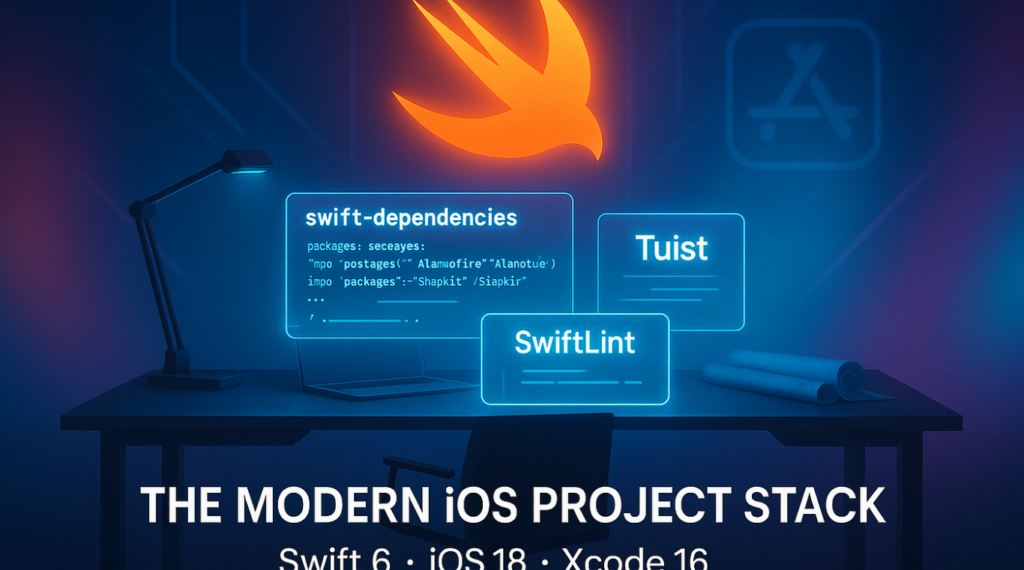
In modern iOS development, maintaining clean, consistent, and scalable code becomes increasingly difficult as teams grow. What starts as a simple project with a few developers can quickly evolve into a large, distributed system with dozens or even hundreds of contributors. Without strong code quality enforcement, inconsistencies creep in, technical debt accumulates, and onboarding new developers becomes significantly harder. This is where SwiftLint becomes a game-changer.
SwiftLint is a powerful tool designed to enforce Swift style and conventions automatically. But while many developers know how to install and use SwiftLint in small projects, the real challenge lies in understanding how to use SwiftLint in large iOS development teams effectively. At scale, it is not just a tool—it becomes part of your engineering culture, your CI pipeline, and your code governance strategy.
In large organizations, SwiftLint is not optional. It is a critical layer that ensures every developer, regardless of experience level or location, writes code that follows the same standards. Without it, teams often face inconsistent formatting, unpredictable code reviews, and slower development cycles.
Why SwiftLint Matters in Large iOS Development Teams
When working in small teams, developers often rely on informal agreements about code style. However, as soon as a team grows beyond a handful of engineers, those informal agreements break down quickly. Different coding styles, naming conventions, and formatting preferences start to conflict. SwiftLint solves this by enforcing a single source of truth for code style.
In large iOS development teams, consistency is not just about aesthetics it directly impacts productivity. When every file looks and behaves similarly, developers spend less time interpreting code and more time building features. SwiftLint ensures that every pull request adheres to a shared standard before it is even reviewed by another engineer.
Another major benefit is reducing cognitive overhead. Developers switching between modules or teams no longer need to adjust to different coding styles. Everything feels familiar, predictable, and structured. In addition, SwiftLint plays a key role in reducing code review friction. Instead of spending time pointing out formatting issues or naming inconsistencies, reviewers can focus on architecture, logic, and performance.
At scale, this leads to faster development cycles, fewer bugs, and a more maintainable codebase. This is why understanding how to use SwiftLint in large iOS development teams is essential for any engineering organization that values long-term code health.
Challenges of Managing SwiftLint in Large Codebases
While SwiftLint is powerful, using it in large teams introduces several challenges that must be addressed carefully. One of the most common issues is rule disagreements. Different teams or modules may have different expectations about strictness. For example, a design system team might enforce very strict naming rules, while a feature team might prefer flexibility for faster iteration.
Another challenge is build performance. Running SwiftLint on large codebases can increase build time if not optimized correctly. Without proper configuration, developers may experience slower feedback loops, which can reduce adoption. There is also the issue of legacy code. Most large iOS applications have years of accumulated code that does not follow modern SwiftLint rules. Applying strict rules all at once can result in thousands of warnings or errors, overwhelming teams and reducing morale.
Finally, there is governance. Who decides which rules are enabled? How are exceptions handled? Without clear ownership, SwiftLint configurations can become fragmented across repositories, leading to inconsistency the very problem SwiftLint is meant to solve. Successfully addressing these challenges is a key part of learning how to use SwiftLint in large iOS development teams effectively.
Setting Up SwiftLint Across Large Teams
A successful SwiftLint setup in large organizations begins with standardization. The goal is to ensure every repository and every developer uses the same baseline configuration. The first step is creating a centralized .swiftlint.yml configuration file. Instead of allowing each team to define its own rules, organizations should maintain a shared configuration that reflects company-wide standards. This file should be version-controlled and reviewed just like any other code artifact.
Next, SwiftLint should be integrated into every iOS project through a consistent installation method. Whether using CocoaPods, Homebrew, or Swift Package Manager, the method should be standardized across all teams. Once installed, SwiftLint should be added to the build process. However, in large teams, it is often better to avoid blocking local builds initially. Instead, start by running SwiftLint in warning mode locally and enforce stricter rules in CI pipelines.
A typical setup strategy looks like this:
- Install SwiftLint across all repositories using a shared approach
- Add a centralized configuration file maintained by a core engineering team
- Integrate SwiftLint into CI pipelines for pull request validation
- Gradually increase rule strictness over time to avoid disruption
This phased approach ensures adoption without overwhelming developers, especially when introducing SwiftLint into mature codebases.
Standardizing Rules for Consistency
One of the most important aspects of scaling SwiftLint is rule standardization. Without consistent rules, SwiftLint becomes fragmented and loses its effectiveness. In large iOS development teams, rule selection should be intentional. Instead of enabling every possible rule, teams should focus on rules that improve readability, maintainability, and consistency.
For example, enforcing consistent naming conventions ensures that all developers follow the same patterns when naming variables, functions, and classes. Similarly, enforcing line length limits helps maintain readability across different screen sizes and code editors. However, it is equally important not to be overly strict. Excessively rigid rules can slow down development and frustrate engineers. The goal is to strike a balance between discipline and flexibility.
A good approach is to categorize rules into three groups:
- Critical Rules – Must never be violated (e.g., force unwrap restrictions)
- Recommended Rules – Strongly encouraged but can have exceptions
- Optional Rules – Style preferences that teams can adopt gradually
This classification helps teams prioritize what truly matters while avoiding unnecessary friction.
Integrating SwiftLint into CI/CD Pipelines
CI/CD integration is where SwiftLint becomes truly powerful in large teams. Instead of relying on developers to manually run checks, SwiftLint can automatically validate every pull request before merging. When integrated into CI pipelines, SwiftLint ensures that no code enters the main branch without meeting defined standards. This creates a consistent quality gate that applies equally to all developers.
In large iOS teams, CI integration should be designed carefully to avoid slowing down pipelines. Running SwiftLint in parallel with other checks and limiting it to changed files can significantly improve performance. Additionally, CI logs should be clear and actionable. Developers should immediately understand what rule was violated and how to fix it without needing additional explanation.
Over time, this automation reduces dependency on human reviewers for style enforcement and allows teams to focus on architectural and functional improvements.
Handling Rule Exceptions and Legacy Code
No large codebase is perfect, and SwiftLint must accommodate real-world constraints. Legacy code, third-party integrations, and rapid feature development often require exceptions. Instead of disabling rules globally, teams should use localized exceptions. This allows specific files or sections of code to bypass certain rules without weakening the overall system.
However, exceptions should not become permanent shortcuts. A healthy approach is to track exceptions and gradually refactor them over time. This ensures that technical debt is continuously reduced rather than accumulated.
For legacy projects, a gradual migration strategy works best. Instead of enforcing all rules at once, teams can introduce SwiftLint in stages, starting with non-critical rules and progressively tightening standards.
Onboarding Developers with SwiftLint
SwiftLint also plays a major role in onboarding new developers. In large teams, onboarding speed is crucial, and inconsistent code styles can significantly slow down the process.
With SwiftLint in place, new developers immediately understand the expected coding standards. They receive real-time feedback when they violate rules, which helps them learn faster and adapt to the team’s conventions.
This reduces the dependency on senior developers for code style explanations and allows new engineers to become productive more quickly.
Performance Considerations in Large Projects
As projects grow, SwiftLint performance becomes a concern. Running lint checks on thousands of files can increase build times if not optimized properly.
To improve performance, teams should enable incremental linting, which only checks modified files. Additionally, excluding unnecessary directories such as generated files or third-party libraries can significantly reduce processing time.
Another effective strategy is running SwiftLint asynchronously in CI rather than during local builds. This keeps developer workflows fast while still enforcing quality standards.
Governance and Ownership of SwiftLint Rules
In large organizations, SwiftLint should not be managed ad hoc. There should be clear ownership, usually under a core platform or iOS architecture team. This team is responsible for:
- Maintaining the global SwiftLint configuration
- Reviewing rule changes
- Managing exceptions and migrations
- Ensuring consistency across repositories
Without governance, SwiftLint configurations can drift over time, leading to inconsistencies and reduced effectiveness.
Best Practices for Scaling SwiftLint in Large Teams
Below is a structured list of best practices that help ensure successful scaling of SwiftLint across large iOS teams:
Best practices for using SwiftLint effectively:
- Start with a minimal rule set and gradually increase strictness over time
- Maintain a centralized SwiftLint configuration file for all repositories
- Integrate SwiftLint into CI/CD pipelines for automated enforcement
- Use incremental linting to improve performance in large codebases
- Classify rules into critical, recommended, and optional categories
- Regularly review and clean up exceptions and legacy violations
- Assign clear ownership of SwiftLint governance to a dedicated team
These practices help ensure that SwiftLint remains a helpful tool rather than becoming a bottleneck in development workflows.
Common Mistakes Teams Make with SwiftLint
Many teams fail to fully benefit from SwiftLint because of avoidable mistakes. One common issue is enabling too many rules at once, which creates a flood of warnings and discourages developers from using the tool. bAnother mistake is inconsistent configuration across repositories. When different teams maintain their own rules, the entire purpose of standardization is lost.
Some teams also rely too heavily on SwiftLint without addressing underlying architectural issues. While SwiftLint enforces style, it cannot fix poor system design.
Finally, ignoring performance optimization can lead to slow builds and frustrated developers, reducing adoption across the team.
FAQs
1. What is SwiftLint used for in large iOS teams?
SwiftLint is used to enforce consistent Swift coding standards across large development teams.
2. How do you integrate SwiftLint in CI pipelines?
It is added as a build step in CI so every pull request is automatically checked for rule violations.
3. Can SwiftLint slow down large projects?
Yes, if not optimized, but incremental linting and exclusions help maintain performance.
4. Should all SwiftLint rules be enabled at once?
No, it is better to start with essential rules and gradually add more over time.
5. How do teams handle legacy code with SwiftLint?
They use gradual adoption and file-level exceptions to avoid overwhelming existing codebases.
6. Who should manage SwiftLint configuration in large teams?
A dedicated platform or iOS architecture team should own and maintain it.
7. Is SwiftLint enough to ensure code quality?
No, it enforces style and consistency but must be combined with good architecture and reviews.
Conclusion
Learning how to use SwiftLint in large iOS development teams is not just about installing a tool—it is about building a culture of consistency, accountability, and long-term code quality. When implemented correctly, SwiftLint becomes an invisible but powerful force that keeps your entire codebase aligned, readable, and maintainable. The key to success lies in gradual adoption, centralized governance, and thoughtful rule management. Instead of enforcing strict rules overnight, large teams should focus on incremental improvements and continuous refinement.