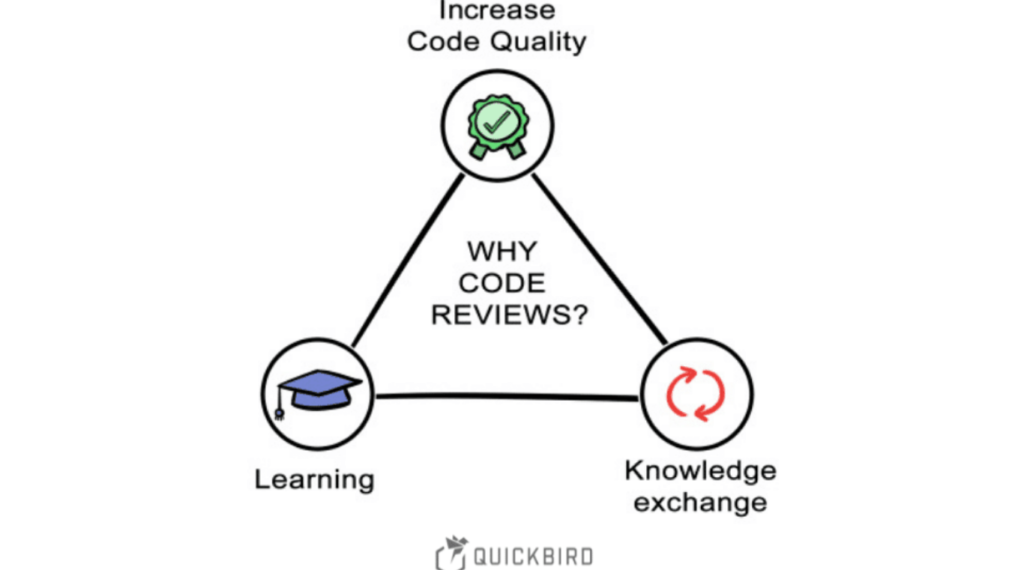
Code reviews are one of the most important parts of modern iOS development. They help teams maintain code quality, identify bugs early, enforce coding standards, and improve collaboration among developers. However, as projects grow larger and teams become more distributed, code reviews can quickly become time-consuming and inefficient. nMany review discussions focus on small style issues such as spacing, naming conventions, line lengths, or formatting inconsistencies. While these details matter, they often distract reviewers from more critical concerns like architecture, performance, security, and business logic.
This is where SwiftLint becomes a game changer. SwiftLint is a powerful static analysis tool designed specifically for Swift projects. It automatically checks source code against predefined style and quality rules, ensuring consistency across the entire codebase. By automating repetitive style checks, SwiftLint allows reviewers to focus on meaningful code improvements rather than formatting corrections.
Why Code Reviews Become Slow
Before exploring SwiftLint tricks, it’s important to understand why many code reviews take longer than necessary. Most delays occur because reviewers spend excessive time identifying issues that could have been detected automatically. Common examples include inconsistent indentation, poor naming conventions, unnecessary force unwraps, trailing whitespace, and oversized functions.
When reviewers repeatedly point out the same style mistakes, the review process becomes repetitive. Developers then spend additional time making corrections, creating new commits, and requesting another review cycle. SwiftLint eliminates much of this friction by catching issues before code reaches the pull request stage.
Understanding SwiftLint’s Role in Code Reviews
SwiftLint acts as an automated reviewer that continuously checks your Swift code against predefined standards. Instead of relying on human reviewers to identify style violations, SwiftLint performs these checks automatically. Developers receive immediate feedback during development, allowing them to fix issues before submitting code for review. This shift significantly improves productivity because reviewers can focus on:
- Architecture decisions
- Performance optimization
- Business logic validation
- Security concerns
- User experience improvements
The result is a faster and more valuable review process.
Configure SwiftLint Rules That Matter Most
One of the most effective SwiftLint tricks for faster code reviews is focusing on rules that deliver meaningful value. Many teams make the mistake of enabling every available rule. While this may seem thorough, it often generates unnecessary warnings that overwhelm developers.
Instead, customize your .swiftlint.yml file to prioritize rules that directly impact maintainability and readability.
For example, enforcing naming conventions, preventing force unwraps, limiting function complexity, and detecting duplicate imports usually provides significant benefits. At the same time, overly strict cosmetic rules can sometimes create unnecessary noise. A carefully configured rule set helps developers focus on important improvements while reducing review friction.
Use Auto-Correction Before Every Pull Request
One of the simplest SwiftLint tricks is enabling automatic correction. SwiftLint includes an autocorrect feature capable of fixing many style violations automatically. Instead of manually adjusting spacing, indentation, or formatting issues, developers can run a single command before creating a pull request.
This approach creates cleaner commits and reduces reviewer comments related to formatting. When code already follows established style guidelines, reviewers can immediately concentrate on logic and design rather than cosmetic improvements.
Auto-correction is especially valuable for large teams where maintaining consistent formatting across multiple contributors can be challenging.
Integrate SwiftLint Directly into Xcode
Developers often overlook the importance of immediate feedback. Running SwiftLint manually is helpful, but integrating it directly into Xcode provides a much better experience. When SwiftLint runs automatically during builds, developers see violations as they write code rather than after submitting changes.
This proactive approach prevents style issues from accumulating throughout development. By fixing problems instantly, developers reduce the number of corrections required during review cycles. The result is cleaner pull requests and faster approvals.
Create Team-Wide Coding Standards
A major cause of review delays is disagreement about coding style. Without clear standards, different developers may have different opinions about naming conventions, formatting, or file organization. These disagreements often lead to lengthy review discussions.
SwiftLint helps solve this problem by transforming coding standards into automated rules. Once rules are defined, everyone follows the same guidelines automatically. Developers no longer need to debate formatting preferences because SwiftLint consistently enforces the chosen standards.
This creates a more objective review process and minimizes unnecessary discussions.
Prevent Force Unwrapping Before Reviews
Force unwrapping is one of the most common sources of runtime crashes in Swift applications. Reviewers frequently spend time identifying and discussing force unwrap usage. SwiftLint can automatically detect these patterns and warn developers before code reaches reviewers.
When force unwrapping violations are addressed early, reviewers gain confidence in the stability of submitted code. This not only accelerates reviews but also improves application reliability.
Reduce Function Complexity Automatically
Large functions are notoriously difficult to review. When a single method contains hundreds of lines of code, reviewers must spend considerable time understanding its behavior. Complex functions also increase the likelihood of hidden bugs.
SwiftLint includes rules that measure function complexity and length. By enforcing reasonable limits, teams encourage developers to write smaller, more focused methods. Smaller functions are easier to understand, easier to test, and significantly faster to review. As a result, review quality improves while review time decreases.
Detect Code Smells Earlier
Code smells are patterns that may indicate deeper design problems. Examples include excessively long files, deeply nested conditionals, large classes, and duplicated logic. Human reviewers can identify these issues, but doing so consistently requires significant effort.
SwiftLint automatically flags many common code smells during development. When developers resolve these issues before opening pull requests, reviewers encounter cleaner code and spend less time requesting structural changes. This leads to more efficient development workflows.
Enforce Consistent Naming Conventions
Clear naming dramatically improves code readability. Poor variable names often force reviewers to spend extra time understanding a developer’s intent. Names like temp, data, or obj provide little context and increase cognitive load.
SwiftLint can enforce naming rules that encourage descriptive and meaningful identifiers. Consistent naming helps reviewers understand code quickly, reducing review time and improving overall maintainability.
Well-named code often requires fewer comments and explanations because its purpose is immediately obvious.
Use SwiftLint in Continuous Integration Pipelines
Another powerful SwiftLint trick for faster code reviews is integrating it into your CI/CD pipeline. When SwiftLint runs automatically during continuous integration, every pull request is checked before review begins.
Developers receive immediate feedback if code violates team standards. This prevents reviewers from encountering avoidable issues later in the process.
CI integration also ensures that standards are enforced consistently across the entire project, regardless of who contributes code. Automated validation creates a smoother review experience and reduces repetitive feedback.
Focus Reviewers on Business Logic
The primary goal of a code review should be evaluating how well the code solves the intended problem. Unfortunately, many reviews become dominated by discussions about spacing, indentation, line lengths, and formatting.
SwiftLint automates these concerns, allowing reviewers to focus on more important questions: How efficient is the implementation? Does the code handle edge cases correctly?
Is the architecture scalable? Could security vulnerabilities exist? By removing style-related distractions, SwiftLint increases the value of every review.
Customize Severity Levels
Not every rule deserves the same level of importance. Some violations should immediately fail a build, while others may simply generate warnings. SwiftLint allows teams to customize severity levels according to project needs.
For example, force unwrap violations might be treated as errors, while line-length issues generate warnings.
This flexibility helps developers prioritize important fixes and prevents review delays caused by less critical concerns. A balanced configuration creates a more practical and productive workflow.
Encourage Self-Review Before Submission
One of the most effective strategies for faster code reviews is encouraging developers to review their own code first. SwiftLint supports this process by highlighting potential issues before pull requests are created.
Developers can fix warnings, improve readability, and align code with team standards independently.When self-review becomes part of the development process, reviewers receive cleaner submissions and spend less time requesting revisions.
This creates a more efficient feedback cycle across the entire team.
Use Custom Rules for Team-Specific Requirements
Every organization has unique coding requirements.While SwiftLint includes many built-in rules, custom rules allow teams to enforce project-specific standards.For example, teams may want to restrict certain APIs, require specific naming patterns, or enforce architectural conventions.
Custom rules provide automated enforcement without relying on reviewers to manually check compliance.This reduces human error and accelerates review workflows.
Track Quality Improvements Over Time
SwiftLint is not just a tool for identifying issues. It also provides valuable insights into code quality trends. Teams can monitor recurring violations and identify areas where developers may need additional training or guidance.
Over time, fewer violations generally indicate stronger coding practices and greater familiarity with project standards.
As code quality improves, review cycles become shorter and more efficient. This creates long-term productivity gains for the entire development team.
Building a SwiftLint-First Development Culture
The greatest benefits of SwiftLint emerge when it becomes part of the team’s culture rather than just another tool.
Developers should view SwiftLint as a helpful assistant that improves code quality before review begins. When everyone embraces automated standards, the entire development process becomes more streamlined. A SwiftLint-first culture encourages consistency, accountability, and continuous improvement.
Instead of spending review time correcting minor issues, teams can focus on innovation, architecture, and delivering better applications. The cumulative effect can be substantial, especially in large or fast-growing iOS projects.
Common Mistakes to Avoid
Even though SwiftLint is extremely useful, improper implementation can reduce its effectiveness. Avoid these common mistakes:
- Enabling too many rules at once and overwhelming developers.
- Treating every warning as equally important.
- Ignoring team feedback when configuring rules.
- Failing to integrate SwiftLint into CI pipelines.
- Using default settings without customization.
A thoughtful implementation strategy ensures SwiftLint enhances productivity rather than creating frustration.
The Future of Automated Code Reviews
As software development continues evolving, automation will play an increasingly important role in maintaining quality. Tools like SwiftLint represent a shift toward proactive quality assurance. Instead of identifying issues after code submission, developers receive feedback during development.
This approach shortens feedback loops, improves code quality, and allows reviewers to focus on higher-level concerns.
Organizations that embrace automated review tools today will be better positioned to scale development teams efficiently in the future. SwiftLint is already helping countless iOS teams achieve these goals.
FAQs
1. What is SwiftLint?
SwiftLint is a static analysis tool that enforces Swift coding standards and identifies potential code quality issues automatically.
2. How does SwiftLint speed up code reviews?
It automatically detects style violations and common mistakes, allowing reviewers to focus on logic and architecture instead of formatting.
3. Can SwiftLint fix issues automatically?
Yes. SwiftLint includes an autocorrect feature that can automatically resolve many formatting and style violations.
4. Is SwiftLint suitable for large teams?
Absolutely. SwiftLint helps maintain consistent coding standards across multiple developers and projects.
5. Does SwiftLint work with CI/CD pipelines?
Yes. SwiftLint can be integrated into continuous integration workflows to validate code automatically.
6. Can teams create custom SwiftLint rules?
Yes. SwiftLint supports custom rules that enforce organization-specific coding requirements.
7. Does SwiftLint improve code quality?
Yes. By enforcing standards and detecting potential issues early, SwiftLint contributes significantly to cleaner and more maintainable code.
Conclusion
Implementing the right SwiftLint tricks for faster code reviews can dramatically improve both development efficiency and software quality. By automating repetitive style checks, enforcing consistent standards, reducing code complexity, and integrating directly into development workflows, SwiftLint allows reviewers to focus on what truly matters—building reliable, maintainable, and scalable iOS applications. Whether you’re an independent developer or part of a large engineering team, SwiftLint can transform your review process from a time-consuming bottleneck into a streamlined quality assurance practice. The key is thoughtful configuration, team-wide adoption, and continuous refinement of your rules. When used effectively, SwiftLint becomes more than a linting tool—it becomes an essential component of a high-performing iOS development workflow.